

How To Monitor A Kid’s Laptop
This post may contain affiliate links. As an Amazon Associate, I earn from qualifying purchases.
It is the job of a parent to protect their child, however with much of the world being online it can be difficult to catch up.
Supplying your child with a laptop can be challenging because of all that can occur online, however laptops are becoming an important part of learning and education for even younger children.
Many children will need a laptop for school or other courses and it’s important to understand how to keep your kids safe online.
So, what can we do as parents to protect our kids online?
Why Should We Monitor Our Children’s Laptop Use?
It is completely normal as a parent to feel anxious when it comes to our child’s safety online. In fact, one of the most important skills we can teach our kids in this modern era is digital literacy and internet safety.
Phones, tablets and laptops all have the same features and even though your child may use this device for educational purposes, that is not to say that it cannot be used for anything else.
The internet is a maze of possibilities with trends, social media and much more, and not all children understand the importance of safety.
There are many risks such as possible cyber bullying, watching videos not age appropriate and talking to strangers – to reduce this risk, it is important to monitor our children’s laptops.
It is important to note that monitoring is not only to prevent children from using programs that shouldn’t be, but can also be used to limit screen time and set timers on the use of certain programs.
If they have school the next day, for example, you’ll know as a parent that they will not get distracted by their device and sleep at a sufficient time.
Monitoring is a way to protect your child whilst giving them that freedom too.
It is necessary to give boundaries to children; only then will they know the importance of internet safety.
How To Monitor A Kid’s Laptop
There are several ways to monitor your child’s laptop.
When first purchasing the device, parents have the ability to install programs to ensure their child will be using the laptop safely and efficiently.
There are many programs to choose from, each differing depending on brand and device.
Below we have put together a list of some of our top choices, allowing you to monitor your child’s laptop time easily.
Parental Control Programs for Laptops
Disney Circle Internet Parental Control Device

Our favourite parental control device is Disney’s Circle. This device acts as a Wifi router and can control any devices linked to the wifi network. You’ll have peace of mind knowing that your kids can’t access inappropriate content on the laptops or cell phones.
There are also screen time limits that can be set for each device and program to completely customize your children’s online experience.
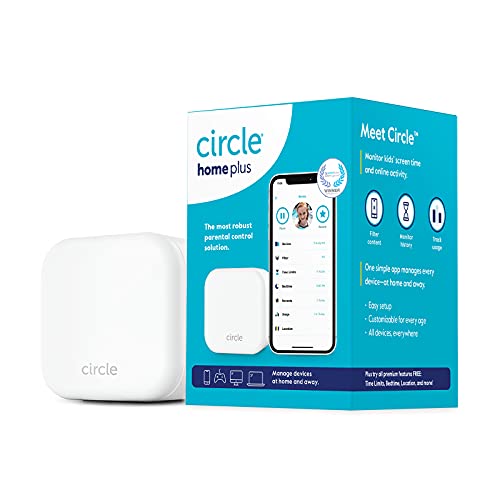
- Covers Every Device - Limit screen time and block online content for mobile phones (iOS and Android devices), computers, tablets (including Chromebooks & Kindle Fire), gaming consoles, smart TVs, and more.
- Easy to Use App and Device Solution - Download the Circle App and connect the Circle Home Plus device to your router to start managing every Internet-connected device, at-home and away.
- Internet Safety and Security - Gain peace of mind and keep kids safe online with Internet history monitoring, usage tracking and much more.
Bark Parental Controls


Bark is another great option for limiting screen time and filtering dangerous content on the web. This device plugs into your existing wifi router. You can set custom schedules to limit and encourage appropriate screen use.

- Bark Home includes in-home protection for free with purchase of the hardware — no paid subscription needed
- MANAGE the internet-connected devices that live in your house, from smart TVs to Xboxes, and create custom daily screen time schedules to help set healthy boundaries around device use.
- SET bedtimes and school times when your kids will have limited access to their devices.
McAfee Total Protection


Another option is to download a software onto the laptop to limit and protect that specific device.
McAfee is a popular choice amongst many parents. This software includes antivirus and security software along with a suite of parental controls and monitoring.
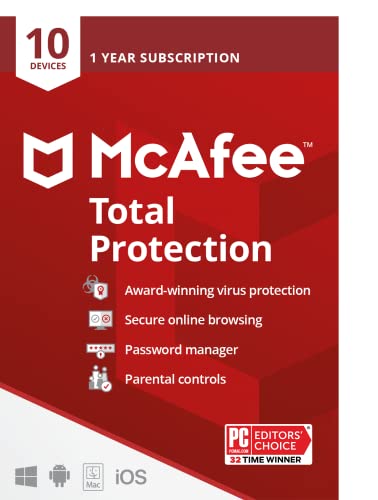
- MCAFEE TOTAL PROTECTION IS ALL-IN-ONE PROTECTION — delivering award-winning antivirus for 10 devices, with identity monitoring and VPN
- ID MONITORING — we'll monitor everything from email addresses to IDs and phone numbers for signs of breaches. If your info is found, we'll notify you so you can take action
- BANK, SHOP, AND BROWSE ANYWHERE SECURELY WITH UNLIMITED VPN — protect your online privacy automatically when connecting to public Wi-Fi
Manual Monitoring
If you are not tech savvy or are wanting to check on your child in an alternative way, monitor their laptop manually.
By this, we mean not having the help of gadgets. Go the old fashioned route and check your child’s laptop manually.
Check your child’s web search history, look into what websites they are familiar with.
If it all checks out then you shouldn’t have anything to worry about. Search history is a reliable source.
How To Ensure Your Child’s Safety Online
Not all children understand the importance of online safety and know of the dangers that lurk on the internet.
As parents is it our duty to identify these dangers and teach our children online safety.
Google has created the ‘Be Internet Awesome’ to teach internet safety in a fun and kid-friendly way.
To help you on the road to educating your children and keeping them safe online, here are some steps that should be followed:
- Set rules – It is important to issue specific rules for your children, letting them know what they can and cannot do and creating guidelines.
- Sustain trust – It is important for a parent and their child to have a mutual trust so it is essential to make your child feel comfortable enough to come to you with any problems and concerns they may have.
- Educate on social media – Social media is a powerful thing filled with children, teenagers and adults however this means risk. Your child will inevitably use social media (Facebook, Instagram, Twitter) so it is important to educate your child on the right ways to use it. Advise them to put their profiles private, not add anyone they do not know or recognize and monitor the pictures they put online.
- Educate yourself – Kids nowadays know much more about the internet than adults, and with things always progressing it is necessary to keep up to date with everything. Educate yourself on what the internet brings and how it can affect your children. This knowledge can then be passed down.
Final Thoughts
It is important to keep a balance between monitoring your children’s laptop use and sustaining a trust between parent and child.
Parenting is difficult and we all want what is best for our kids.
We want our children to be safe, open and be educated on the big world.
We especially want to keep them out of harm’s way and the best way to do so is to monitor.
There are a number of apps which allow parents to ensure their child is browsing online safely and there are also ways to restrict the time they have on devices.
Above we have provided you with some ways to monitor your kid’s laptop – by using these you will be sure to protect your child in the best way possible.

Kate is mom of two rambunctious boys and a self-proclaimed super nerd. With a background in neuroscience, she is passionate about sharing her love of all things STEM with her kids. She loves to find creative ways to teach kids computer science and geek out about coding and math. She has authored several books on coding for kids which can be found at Hachette UK.


